Skip to content
AcaBoost in action   /   A fictional club. Real community tools.Take the guided tour →

Home / Feature tour

Five minutes. A whole club of possibilities.

See what a connected
club feels like.

Follow the tour below, or choose a feature to explore. Public demos work without signing in, and screenshots let you explore the club workspace too.

Step 1 / Welcome to the showcase

A real site for a fictional club.

Fabricam brings AcaBoost's features together in a working booster-club website. The design, pages, shared header, footer, menus, and content are editable in the native website tools.

  1. Start on the homepage and explore the club's story.
  2. Open a Try this feature hint for a quick explanation.
  3. Choose the next tour step above. Arrow keys move between steps.
Explore the homepage →

Sample people, events, partners, and totals are fictional. Free forms save demo records.

Step 2 / A shared calendar

One season. Many ways to see it.

Games, clinics, meetings, volunteer events, and registration dates share one calendar.

  1. Switch from month to agenda or season view.
  2. Filter by program or event category.
  3. Open an item and try the calendar subscription control.
Try the calendar →

Step 3 / Volunteer coordination

The right role. The right number of people.

Three populated events demonstrate roles, time-bounded shifts, available spots, and sample waitlists.

  1. Open the signup board and compare open and full shifts.
  2. Select a non-coaching role and inspect the signup form.
  3. Submit only if you want a demo entry and possible email confirmation.
Open volunteer signups →

Step 4 / Forms that fit the program

A welcoming first step.

Try a clinic registration, family-night capacity example, or booster-interest form.

  1. Use the program tabs to compare the three forms.
  2. Try submitting with a required field empty to see validation.
  3. Complete a free registration if you want to experience confirmation.
Explore free registration →

Step 5 / Visible impact and helpful resources

Keep supporters informed.

Fundraising presentations show the same platform behind progress bars, team challenges, and participation visuals. Managed documents give families a practical resource library.

  1. Switch between the three sample fundraising meters.
  2. Search the resource library for volunteer.
  3. Open a real PDF share link and read the sample guide.
Step 6 / Behind the scenes

See the workspace. No login needed.

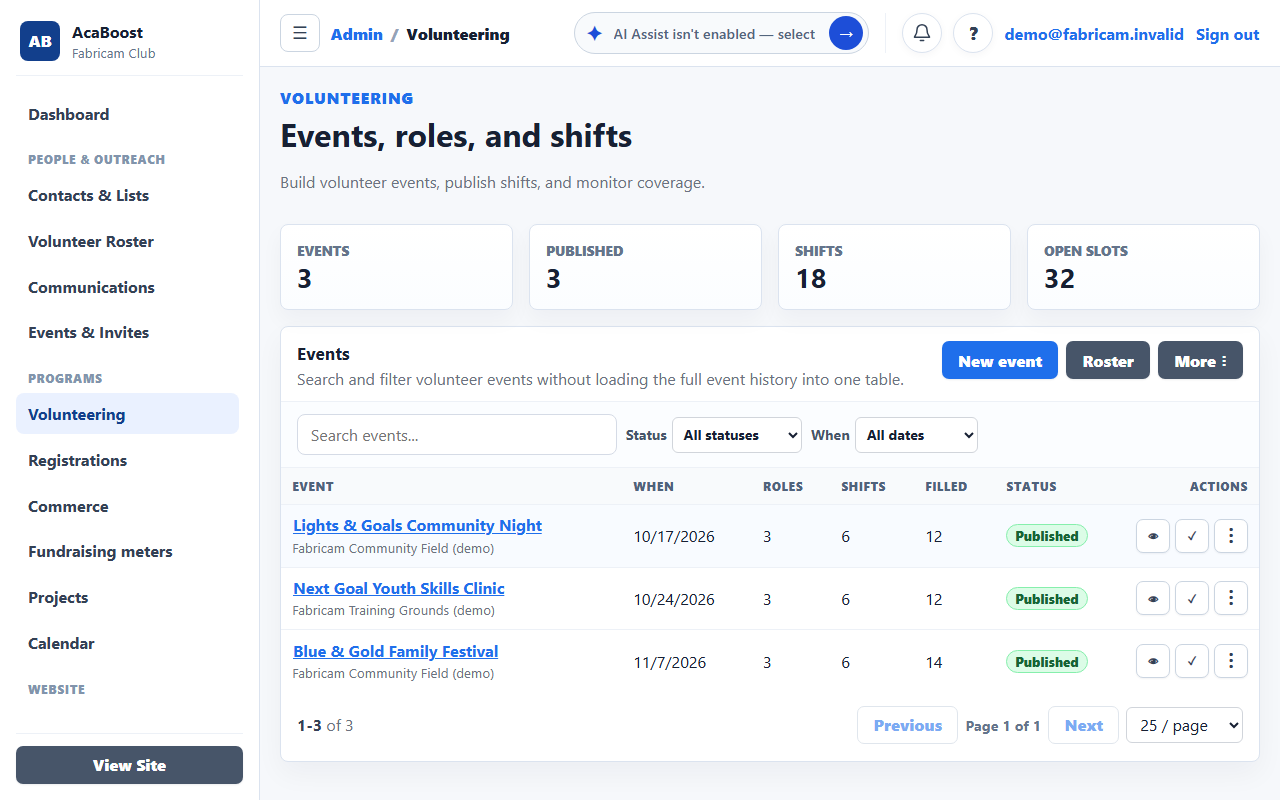
Club leaders coordinate the season in AcaBoost's private workspace. Explore actual screens with fictional Fabricam records in our public preview.

Public screenshot preview of Fabricam's volunteer administration workspace
Real AcaBoost screen with demo records
Volunteers & registration

Events, shifts, waitlists, forms, and sample submissions.

Documents & sharing

Folders, versions, archives, and public club resources.

Contacts & campaigns

Fictional audiences and unsent communication drafts.

Projects & calendar

Season plans, tasks, budgets, matches, and meetings.

Website & fundraising

Reusable designs, meter presentations, and catalog examples.

Events & reports

RSVP planning and a view across club activity.

Screenshots are read-only previews. Public signups, free forms, calendars, and PDF resources remain available to try.

Good things happen when we show up.

A little time. A little generosity. A whole lot of community.

Find your way to help →